Article

How to Become a LinkedIn Top Voice Using Collaborative Articles

Chris Cozzolino. Co-Founder/CEO
September 2, 2024

How to Become a Top Voice on LinkedIn Using Collaborative Articles

The LinkedIn Top Voice badge is a coveted recognition that can enhance your visibility and credibility on the platform. It can be difficult to stand out from the crowd, especially if you’re using LinkedIn for cold outreach. This is a great way to differentiate yourself as a thought leader and build authority.

In this Uptown Creation article we’ll show you exactly how to establish yourself as a top voice in your niche.

What is a LinkedIn Top Voice?

Before we dive into the process, it's important to understand what a LinkedIn Top Voice is. LinkedIn offers two distinct types of Top Voice badges:

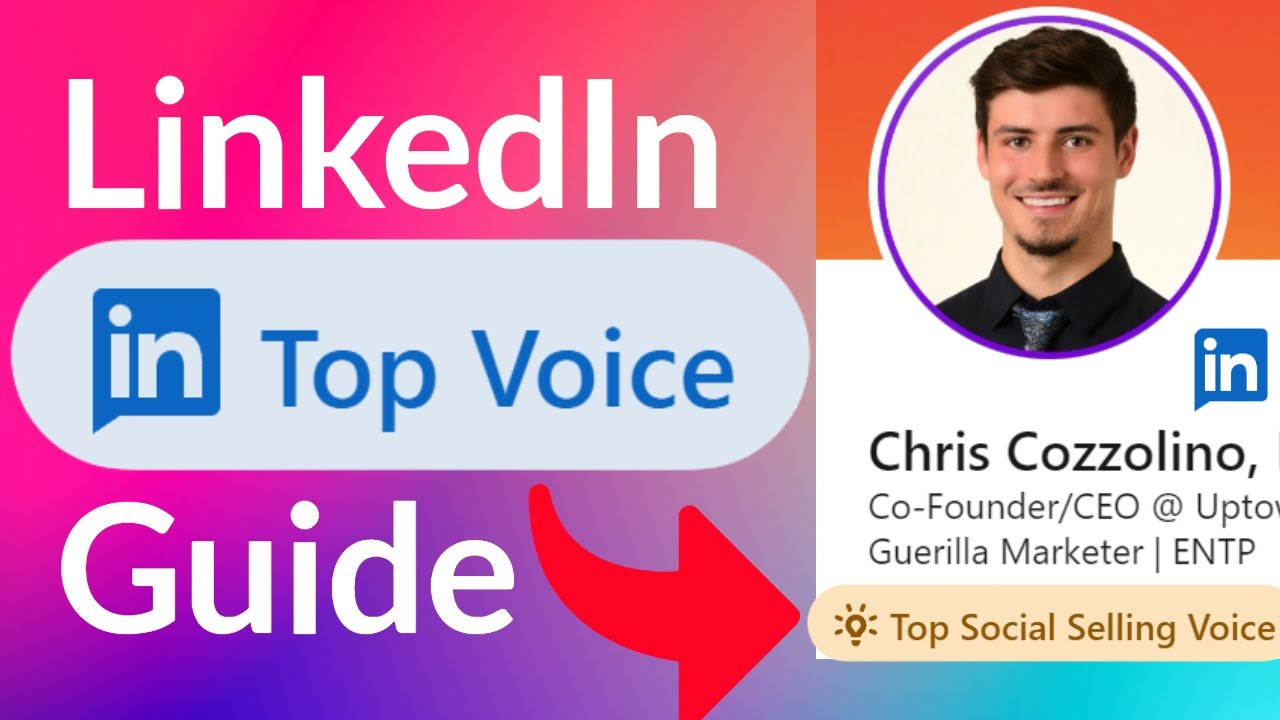
  • Community Top Voice (Yellow Badge): These badges are given on a rolling 60-day period. Once you earn it, you’ll need to continue contributing to LinkedIn collaborative articles to maintain it.
  • LinkedIn Top Voice (Blue Badge): This is a much harder badge to earn and is akin to a verified badge on Instagram. It is awarded directly by LinkedIn and is beyond the scope of this article.

For the purposes of this guide, we'll focus on how you can earn the Community Top Voice badge by contributing to collaborative articles.

What are LinkedIn Collaborative Articles?

LinkedIn introduced collaborative articles in 2023 as AI-generated conversation starters. These articles begin with AI-powered content but are incomplete without contributions from LinkedIn members like you. By adding your insights to these articles, you can earn the Top Voice badge in a specific skill or topic area.

Can I Contribute to Collaborative Articles?

Collaborative articles are an invitation-only program. LinkedIn identifies members who are likely to be experts in a certain topic based on their work experience, skills proficiency, and prior engagement on the platform. If you see the Add your perspective button on a collaborative article, it means that you’re an approved contributor.

If you can’t contribute to collaborative articles yet, don’t worry. To be considered in the future, you can engage with the articles by liking or reacting to them.

Earn a LinkedIn Top Voice Badge in 5 Steps

Now that we’ve covered what collaborative articles are, let us help you stand out from the crowd on LinkedIn by earning a Top voice badge.

Step 1: Finding Collaborative Articles

To start contributing, you need to find LinkedIn's collaborative articles. Here's a quick way to do it:

  1. Search on Google: Type "LinkedIn collaborative articles" into Google.
  2. Navigate to LinkedIn's List: Click on the first link that takes you to the list of collaborative articles on LinkedIn.

Once there, you'll see a variety of articles categorized by topics. Choose the topic that aligns with your industry or the area in which you want to become a Top Voice.

Step 2: Choosing the Right Topic

LinkedIn offers a wide range of topics for collaborative articles. It’s best to contribute to articles related to your industry, especially if you want to leverage LinkedIn for cold outreach. Keep in mind that you can earn multiple Community Top Voice badges, but only one will display on your profile at a time.

If your goal is to earn a badge quickly, consider contributing to less popular topics where there are fewer contributors. This increases your chances of getting engagement and earning the badge.

Step 3: Making Your Contributions

To earn the Top Voice badge, LinkedIn requires you to make at least three contributions to a specific skill or topic. Here’s how you can do it as part of your LinkedIn profile optimization to stand out from the crowd:

  1. Select a Topic: Once you’ve chosen a topic, pick an article from the list.
  2. Contribute Your Insights: Scroll through the specific article and find prompts where you can add your input. LinkedIn encourages members to share personal experiences, stories, and unique insights.
  1. Repeat the Process: Add three contributions to a single article, then move on to a new article and repeat the process. LinkedIn allows up to 20 contributions per day, so you can spread your efforts across multiple articles.

Note: You won’t be able to see your progress until you’ve contributed to at least three collaborative articles in the same topic, and are within the top 50%.

Step 4: Tracking Your Progress

Once you’ve made your contributions, LinkedIn provides a progress tracker to monitor your journey towards earning the badge. Here’s what you need to know:

  • Below 50% of Contributors: If you’re in the lower half, LinkedIn will encourage you to make more insightful contributions.
  • Above 50% of Contributors: If you're in the top half but haven’t earned the badge yet, LinkedIn will show your ranking.

Your goal is to get into the top 5% of contributors, which is typically where badge holders reside.

Step 5: Earning and Maintaining Your Badge

After making your contributions, it will take around 20-30 days for LinkedIn to assess your engagement and award the badge. During this time, your contributions will gather likes and reactions, which will boost your ranking.

Once you earn the badge, you’ll need to continue making quality contributions to maintain it. If your contributions drop off, you may lose the badge after the 60-day rolling period.

Tips for Success

  • Be Consistent: Regular contributions are key to maintaining your badge.
  • Choose the Right Topic: Focus on topics where your insights will stand out and attract engagement.
  • Engage with the Community: The more people engage with your contributions, the higher your chances of earning and keeping the badge.

Conclusion

So there you have it—a LinkedIn Top Voice Badge complete guide, to help you stand out on LinkedIn. 

Need a professional to help you? Look no further than Uptown Creation. We provide end-to-end LinkedIn outreach resources, training, and consultancy. We also offer a 90-day, done-for-you LinkedIn lead generation plan, active targeting, and engagement nurturing.

Book a free strategy call to get started.
Related posts

Keep going. More from the Uptown team on LinkedIn.

Content
linkedin-top-voice
Video
Strategy
June 8, 2026
how-to-use-linkedin-to-actually-generate-revenue-in-2026
▶
Video
Strategy

How to Use LinkedIn To ACTUALLY Generate Revenue in 2026

June 8, 2026
Video
Strategy
May 26, 2026
linkedins-hard-until-businesses-do-this
▶
Video
Strategy

LinkedIn's Hard, Until Businesses Do This

May 26, 2026
Video
Strategy
May 4, 2026
the-new-linkedin-lead-gen-strategy-dominating-in-2026
▶
Video
Strategy

The NEW LinkedIn Lead Gen Strategy Dominating in 2026

May 4, 2026
Video
Targeting
April 30, 2026
this-new-linkedin-sales-navigator-filter-is-insane
▶
Video
Targeting

This NEW LinkedIn Sales Navigator filter is insane

April 30, 2026
Video
Strategy
April 20, 2026
copy-this-linkedin-strategy-itll-blow-up-your-business
▶
Video
Strategy

Copy This LinkedIn Strategy, It'll Blow Up Your Business

April 20, 2026
Video
Messaging
April 5, 2026
i-sent-10-000-000-linkedin-dms-and-learned-this
▶
Video
Messaging

I sent 10,000,000 linkedin dms and learned this

April 5, 2026
Video
Messaging
October 2, 2025
linkedin-has-the-best-cold-calling-data-on-the-internet
▶
Video
Messaging

LinkedIn has the Best Cold Calling Data on the Internet

October 2, 2025
Video
Strategy
August 27, 2025
paypal-pays-240k-for-this-linkedin-secret-you-can-do-yourself
▶
Video
Strategy

PayPal Pays $240K for This LinkedIn Secret You Can Do Yourself

August 27, 2025
Video
Targeting
August 25, 2025
how-to-make-linkedin-lead-lists-that-actually-work-in-sales-navigator
▶
Video
Targeting

How To Make LinkedIn Lead Lists That Actually Work in Sales Navigator

August 25, 2025
Video
Targeting
August 15, 2025
how-i-use-linkedin-sales-navigator-to-close-deals-every-week
▶
Video
Targeting

How I Use LinkedIn Sales Navigator to Close Deals Every Week

August 15, 2025
Video
Profile
July 30, 2025
optimize-your-linkedin-profile-for-revenue-generation
▶
Video
Profile

Optimize Your LinkedIn Profile for Revenue Generation

July 30, 2025
Video
Content
February 4, 2025
the-1-000-000-linkedin-content-playbook-used-by-the-top-1-of-b2b-sellers
▶
Video
Content

The $1,000,000 LinkedIn Content Playbook Used by the Top 1% of B2B Sellers

February 4, 2025
Video
Strategy
January 21, 2025
how-to-use-linkedin-in-2025-to-generate-revenue
▶
Video
Strategy

How to Use LinkedIn in 2025 to Generate Revenue

January 21, 2025
Video
Messaging
December 4, 2024
linkedin-profile-optimization-guide-how-to-optimize-your-linkedin-profile-for-ou
▶
Video
Messaging

LinkedIn Profile Optimization Guide | How to Optimize Your LinkedIn Profile for Outreach

December 4, 2024
Video
Strategy
December 2, 2024
linkedin-made-simple-revenue-funnel-proven-strategies-for-b2b-success
▶
Video
Strategy

LinkedIn Made Simple Revenue Funnel - Proven Strategies for B2B Success

December 2, 2024
Video
Targeting
August 12, 2024
how-to-keep-track-of-new-leads-on-linkedin-linkedin-data-tracking-tutorial-bench
▶
Video
Targeting

How to Keep Track of New Leads on LinkedIn | LinkedIn Data Tracking Tutorial & Benchmarks

August 12, 2024
Video
Messaging
August 6, 2024
this-linkedin-message-gets-30-response-rates-prints-money
▶
Video
Messaging

This LinkedIn Message Gets 30% Response Rates & Prints Money

August 6, 2024
Video
Tools & Reviews
July 29, 2024
linkedin-premium-company-page-overview
▶
Video
Tools & Reviews

LinkedIn Premium Company Page Overview

July 29, 2024
Video
Tools & Reviews
April 16, 2024
how-to-use-apollo-linkedin-to-book-15-meetings-per-month-apollo-linkedin-tutoria
▶
Video
Tools & Reviews

How to Use Apollo & LinkedIn to Book 15+ Meetings Per Month | Apollo + LinkedIn Tutorial & Setup

April 16, 2024
Video
Content
January 11, 2024
become-a-linkedin-top-voice-in-less-than-30-minutes-linkedin-collaborative-artic
▶
Video
Content

Become a LinkedIn Top Voice in Less Than 30 Minutes | LinkedIn Collaborative Articles Guide

January 11, 2024
Video
Strategy
January 5, 2024
linkedin-2024-sales-tutorial-complete-how-to-setup-guide-of-best-linkedin-lead-g
▶
Video
Strategy

LinkedIn 2024 Sales Tutorial | Complete How to Setup Guide of Best LinkedIn Lead Generation

January 5, 2024
Video
Content
January 20, 2023
insane-commenting-strategy-with-chatgpt-on-linkedin-saves-you-hours
▶
Video
Content

INSANE Commenting Strategy with ChatGPT on Linkedin Saves You Hours

January 20, 2023
Video
Content
January 17, 2023
schedule-linkedin-posts-easily-how-to-structure-linkedin-posts-for-more-engageme
▶
Video
Content

Schedule LinkedIn Posts Easily - How To Structure LinkedIn Posts For More Engagement

January 17, 2023
Video
Strategy
January 9, 2023
linkedin-lead-generation-tutorial-2023-how-to-build-a-predictable-sales-pipeline-on-linkedin
▶
Video
Strategy

LinkedIn Lead Generation Tutorial 2023 - How To Build A Predictable Sales Pipeline On LinkedIn

January 9, 2023
Video
Targeting
December 13, 2022
simple-linkedin-setup-how-to-stay-organized-on-linkedin-sales-navigator
▶
Video
Targeting

Simple LinkedIn Setup - How To Stay Organized on LinkedIn Sales Navigator

December 13, 2022
Video
Strategy
October 24, 2022
grow-your-linkedin-connections-fast-to-500
▶
Video
Strategy

Grow Your LinkedIn Connections FAST To 500+

October 24, 2022
Video
Targeting
October 7, 2022
how-to-search-for-specific-companies-on-linkedin
▶
Video
Targeting

How To Search For Specific Companies On LinkedIn

October 7, 2022
Video
Strategy
October 3, 2022
linkedin-algorithm-explained-by-linkedin-employee
▶
Video
Strategy

LinkedIn Algorithm Explained By LinkedIn Employee

October 3, 2022
Video
Strategy
June 24, 2022
linkedin-live-event-setup-tutorial-best-practices-guide
▶
Video
Strategy

LinkedIn Live Event Setup Tutorial & Best Practices Guide

June 24, 2022
Video
Messaging
February 24, 2021
send-messages-to-anyone-on-linkedin-without-restriction-open-profiles-inmails-groups-and-events
▶
Video
Messaging

Send Messages To Anyone On LinkedIn Without Restriction - Open Profiles, InMails, Groups and Events

February 24, 2021
Video
Strategy
February 10, 2021
how-to-withdraw-pending-connection-requests-on-linkedin-fast
▶
Video
Strategy

How To Withdraw Pending Connection Requests On LinkedIn FAST

February 10, 2021