We Share LinkedIn Sales Navigator Tips to Increase LinkedIn Lead Gen Success
They say a hammer’s only as good as the carpenter swinging it.
The same goes for Sales Navigator—it's one of the most powerful sales tools on LinkedIn, but its real impact depends on how well you use it. We’ve seen plenty of people claim they’re using Sales Navigator, but truth be told, they’re barely scratching the surface, missing out on game-changing features.
But that’s about to change.
In this Uptown Creation article, we’ll explain some practical Sales Navigator tips that can make a noticeable difference in how you identify, approach, and convert prospects.
What Is Linkedin Sales Navigator?
LinkedIn Sales Navigator is a premium tool designed to help sales and businesses find, connect, and build relationships with potential clients on LinkedIn.
It comes packed with loads of interesting features to enhance your sales efforts. Here's just a taste:
- Advanced Search Filters: These let you pinpoint prospects based on specific details like industry, company size, and job title, ensuring you find exactly who you're looking for.
- Real-Time Updates: Save leads and set up triggers to get instant updates on what’s happening with your saved leads and accounts. For example, you might get notified when a lead changes jobs or a new decision-maker joins a target account.
- Organized Lead Management: Keep your prospects and pipeline in perfect order so nothing falls through the cracks.
…and a lot more.
But remember, Sales Navigator is just a part of what LinkedIn lead generation is all about. Even if you get the hang of it, you might still miss some nuances. Sure, it gets easier with practice, but it’s going to take some time.
That’s where we come in. At Uptown Creation, we take over your LinkedIn lead generation with personalized, hands-on outreach that fills your calendar with meetings from high-intent prospects—leaving you more time to focus on what you do best.
5 Sales Navigator Tips to Improve Your Prospecting Efforts
1. Turn Your Sales Navigator into a Mini CRM
LinkedIn lead generation is a numbers game. In fact, to see solid results, we often suggest sending around 200 connection requests a week. But with so many people to reach out to, keeping track can get a bit chaotic.
Luckily, LinkedIn has two CRM-lite features you’re going to find incredibly helpful.
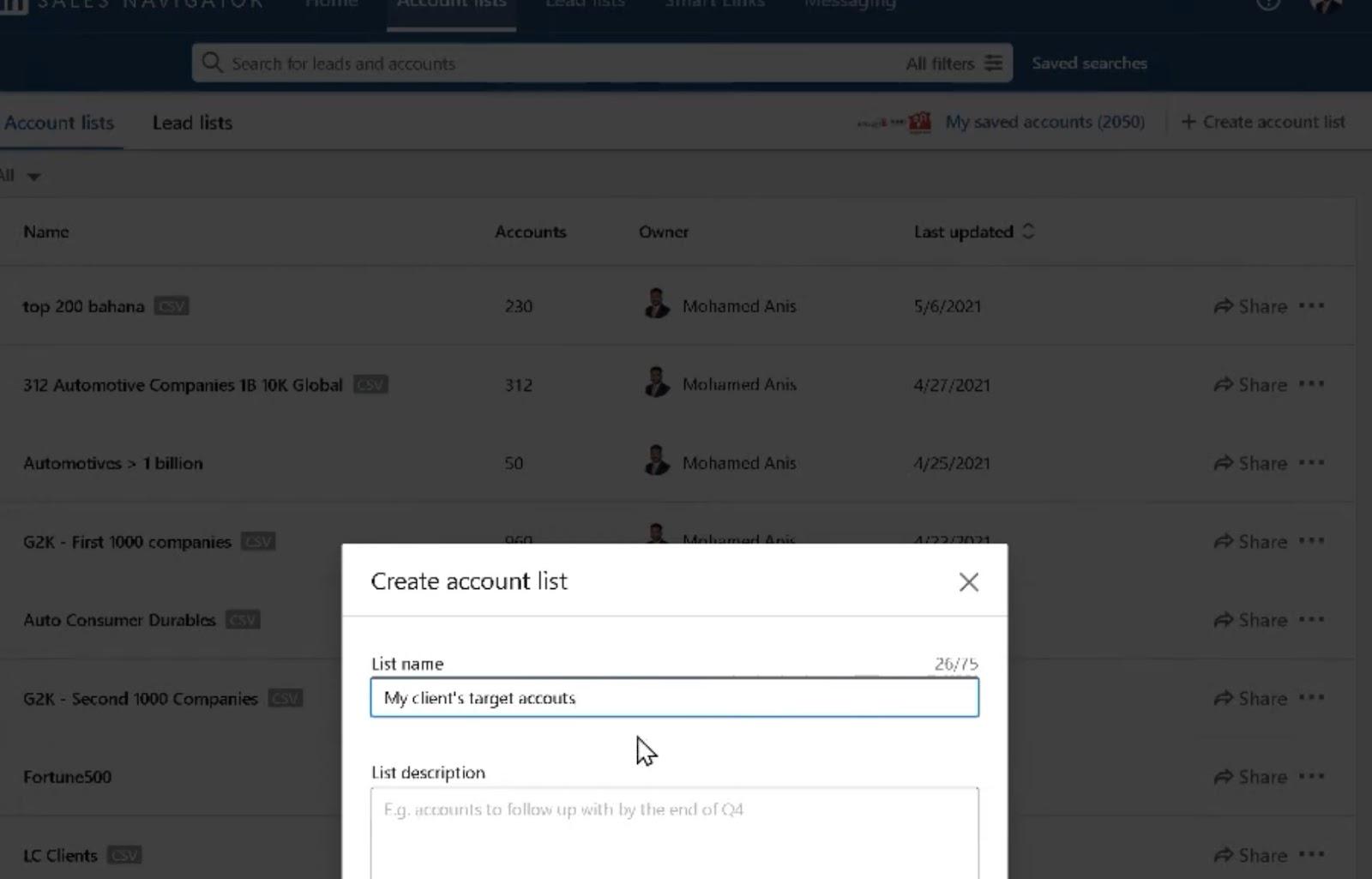
Account List
When you’re trying to close a deal with a company, you often need to reach out to multiple decision-makers—sometimes six or more. Use the account list to keep your outreach organized by company, making it easier to track your progress and stay on top of your targets.
Lead List
You can create different lead lists to keep track of where each lead is in your outreach process.
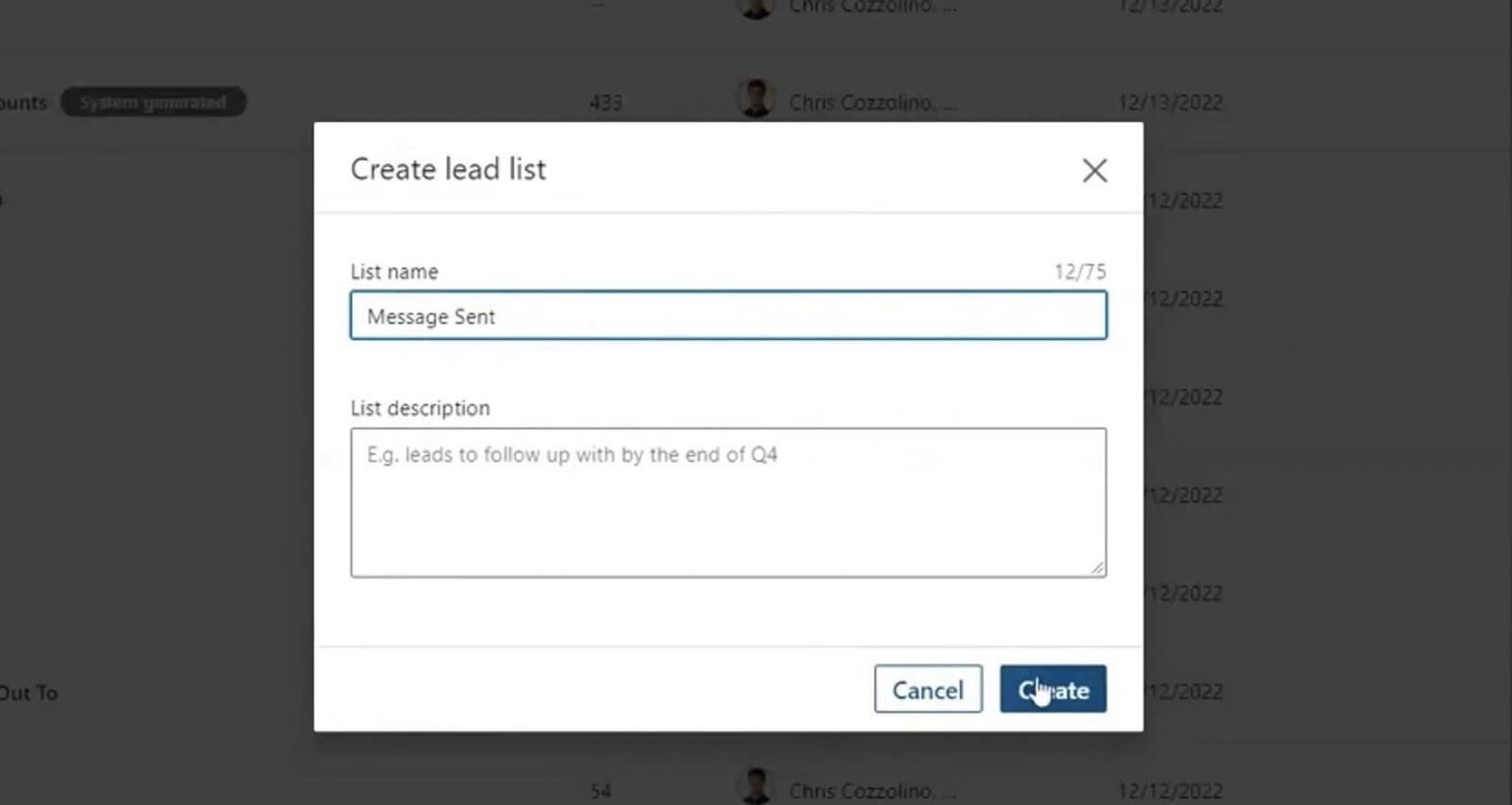
For example, you can create lists for different stages like
- Connection Request Sent
- Outreach Message Sent
- Responded
- Follow-up
- Ready for Meeting
This helps you stay on top of your progress and know exactly who (and what) to follow up with. This is a pretty big topic, but you can check out our Sales Navigator video for a deeper dive.
Another good idea is to always add notes on your interactions with specific leads and set reminders for follow-ups.

This keeps you organized and ensures you never miss an important touchpoint.
2. The Unlimited InMail Trick
Many people don't realize there are smart and not-so-smart ways to use Sales Navigator InMail credits. If you’re burning through your InMail credits without seeing good results, the issue is likely your strategy.
Here’s a fun fact: If your LinkedIn InMail gets a response or is accepted within 90 days, you get that credit back—even if the reply is just a polite “no thanks.”
So, how do you keep your InMail credits from getting exhausted? Craft messages that grab attention and spark responses.
Here are some quick tips:
- Start with a subject line that stands out: For example, “Jane, I think you’re the perfect person for this.” It’s bound to get a click.
- Get straight to the point: Explain what your message is about, focusing on the prospect's problem and your solution. Keep it under six sentences.
For more details about this tip, check out our LinkedIn cold outreach guide.
3. Leverage Boolean Search + Advanced Filters
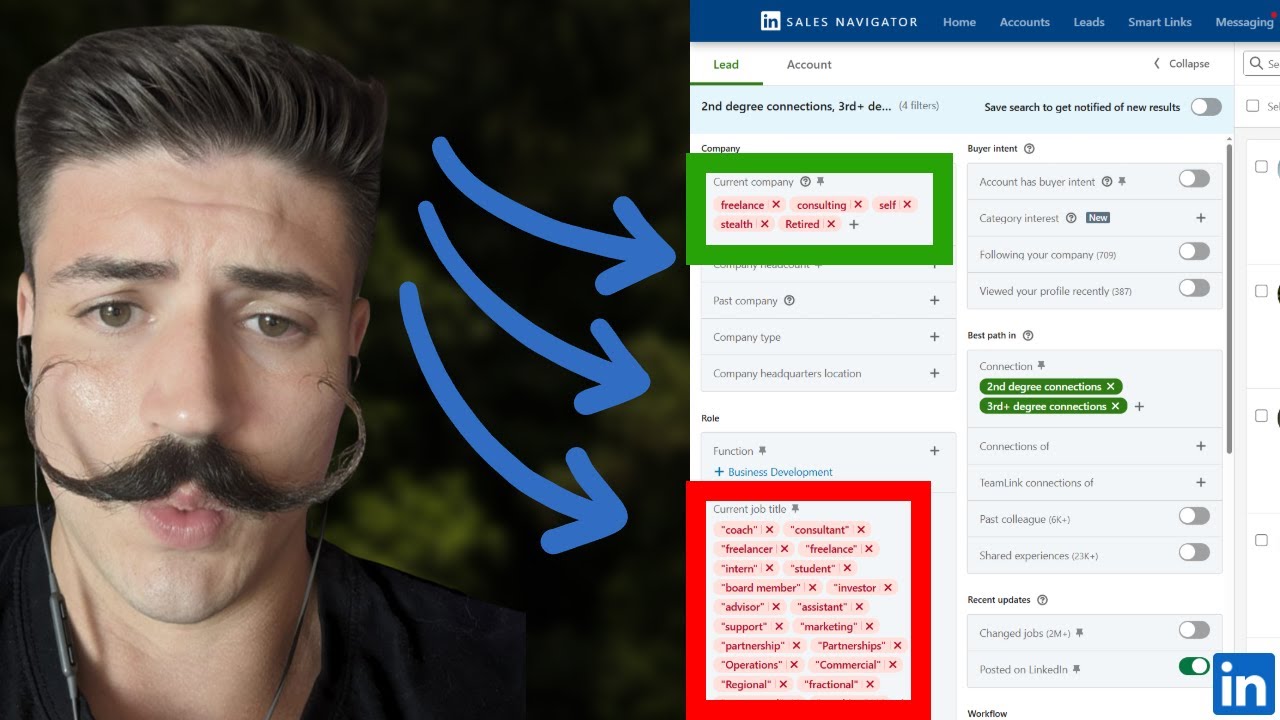
Sales Navigator lets you use Boolean search strings and advanced filters (individually or together) to zero in on highly qualified prospects.
Let’s start with the filters.
While LinkedIn offers many filters, we recommend focusing on these four major ones:
- Company: Find leads from specific companies or industries.
- Geography: Target leads in particular locations or regions.
- Title: Search for leads based on their job titles, like “marketing lead.” You can even use this filter directly in Boolean searches (more on that in a moment).
- Spotlight: This filter helps you find highly active leads. Try using options like “posted in the last 30 days” or “changed jobs in the last 90 days” to get the most engaged prospects.
As for Boolean strings, they let you create more complex searches using operators like:
- AND: Includes all specified terms.
- OR: Includes at least one of the terms.
- NOT: Excludes specific terms. For example, "sales manager NOT marketing" finds sales managers who aren’t in marketing roles.
For instance, a search for "sales manager AND marketing" finds leads with both terms on their profiles.
These kinds of searches can get a bit more complex than this, as we’ve covered in our Boolean search guide. There are all kinds of interesting combos to use when you’re trying to target just the right people for your business.
For example, you might use filters to target leads in a specific region and with a specific title, then apply Boolean strings to refine further. A search like “sales manager AND marketing” with a location filter for “New York” will help you find marketing-focused sales managers specifically in New York.
4. Find Warm Outreach Paths
LinkedIn says you’re more likely to make a great impression on a prospect if someone they already know introduces you. One of the best ways to do this with Sales Navigator is by using the TeamLink connection filter.
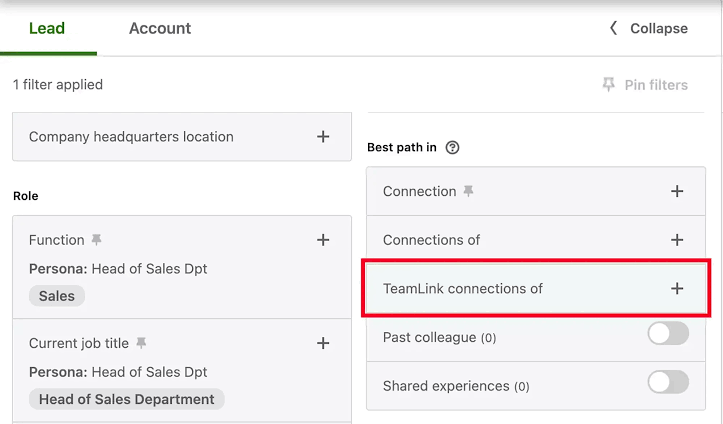
When you activate TeamLink, you can find prospects who are connected to someone on your team, whether it's a first or second-degree connection. Just ask your teammate to give the prospect a little nudge before you reach out.
This friendly introduction can seriously boost your chances of success.
Generating High-Intent Leads With Sales Navigator
Sales Navigator is a powerful tool for generating top-notch leads… if you know how to use it effectively. Luckily, we've covered some great tips to help you make the most of it.
But let's be honest—navigating Sales Navigator can get a bit tricky. Plus, not everyone finds LinkedIn lead generation as fun or interesting as we do. And that’s where Uptown Creation comes in. We offer hands-on, personalized LinkedIn-first lead generation services to help you get fantastic results without manual effort or trial and error.
So, why wait? Book a free consultation with us today and see how we can transform your LinkedIn strategy.